Your Life Runs on Shifts.
Your App Should Too.
Plan your shifts, check in on your mood and energy, build habits and keep your money in view. One calm app for people who don't work 9 to 5.
Everything a Shift Worker Needs
Five parts that work together: shifts, a daily check-in, a mood trend, habits and tasks, and money.
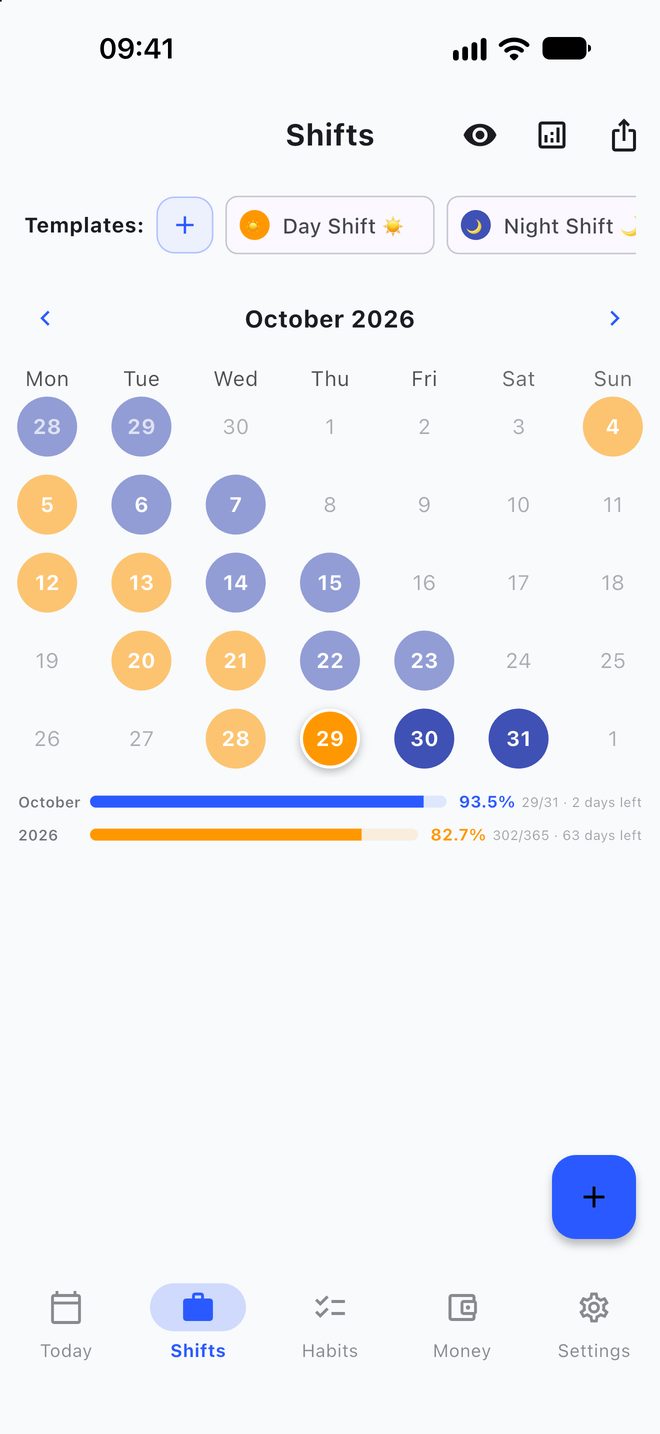
Paint Your Schedule
Your rota is a pattern, not a list. Pick a template, tap the days, and your month fills in with color so you can see the rhythm at a glance.
- Templates with a start time, length, pay rate and color
- Day and night shifts marked clearly
- Monthly statistics: shifts, hours and earnings by type
- See how far through the month and the year you are
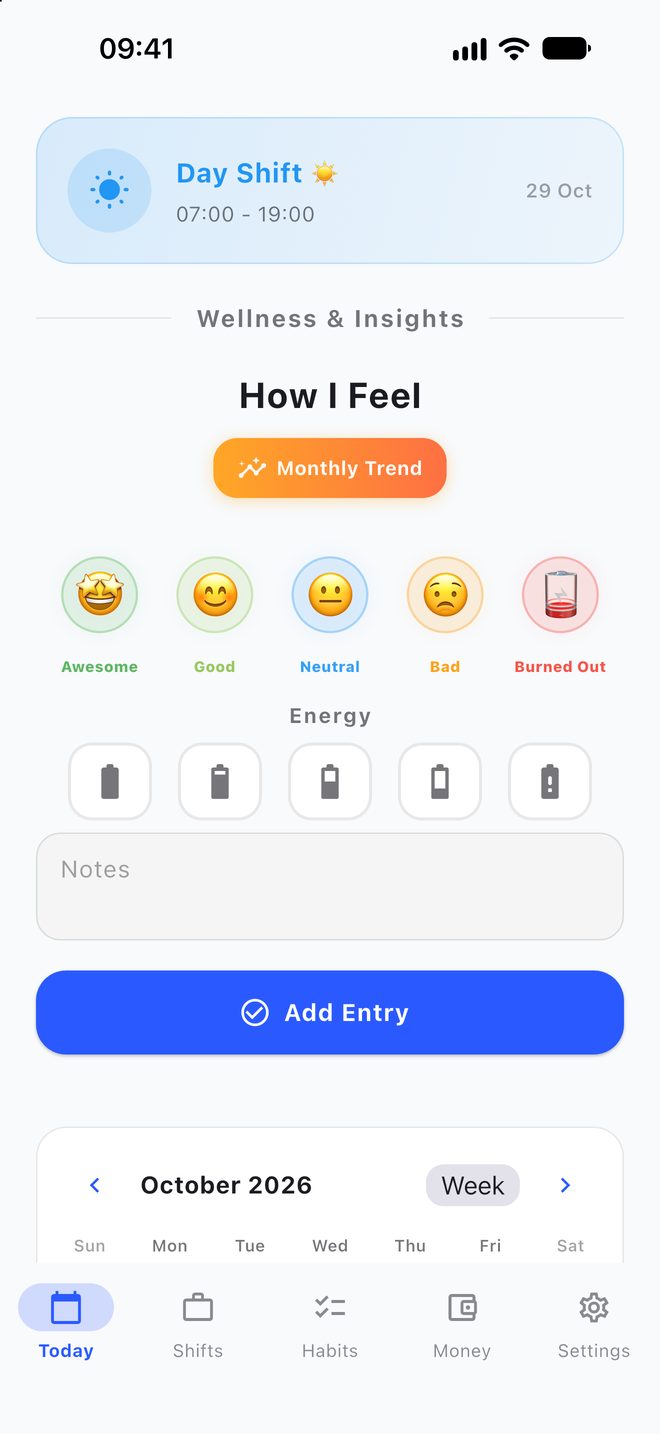
A Check-In That Takes Seconds
See today's shift at the top, then tap how you feel and how much energy you have left. Add a note if you want to remember why.
- Five moods, from awesome to burned out
- Energy level as a simple battery
- Optional notes for each entry
- An optional daily reminder at the time you choose
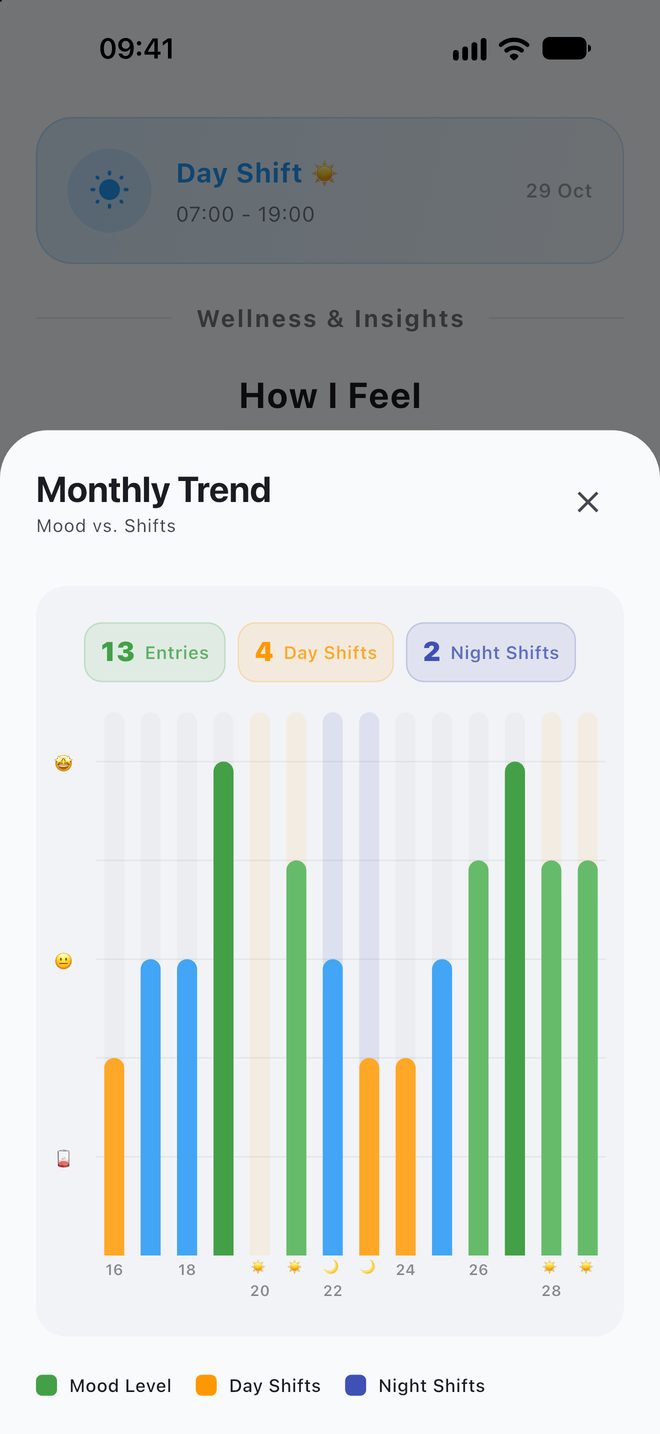
See How Your Shifts Feel
The monthly trend puts your mood next to your day and night shifts, so you can spot the stretches that wear you down and plan around them.
- Mood for every day you checked in
- Day and night shifts on the same chart
- Included in the free version
Habits That Fit Your Week
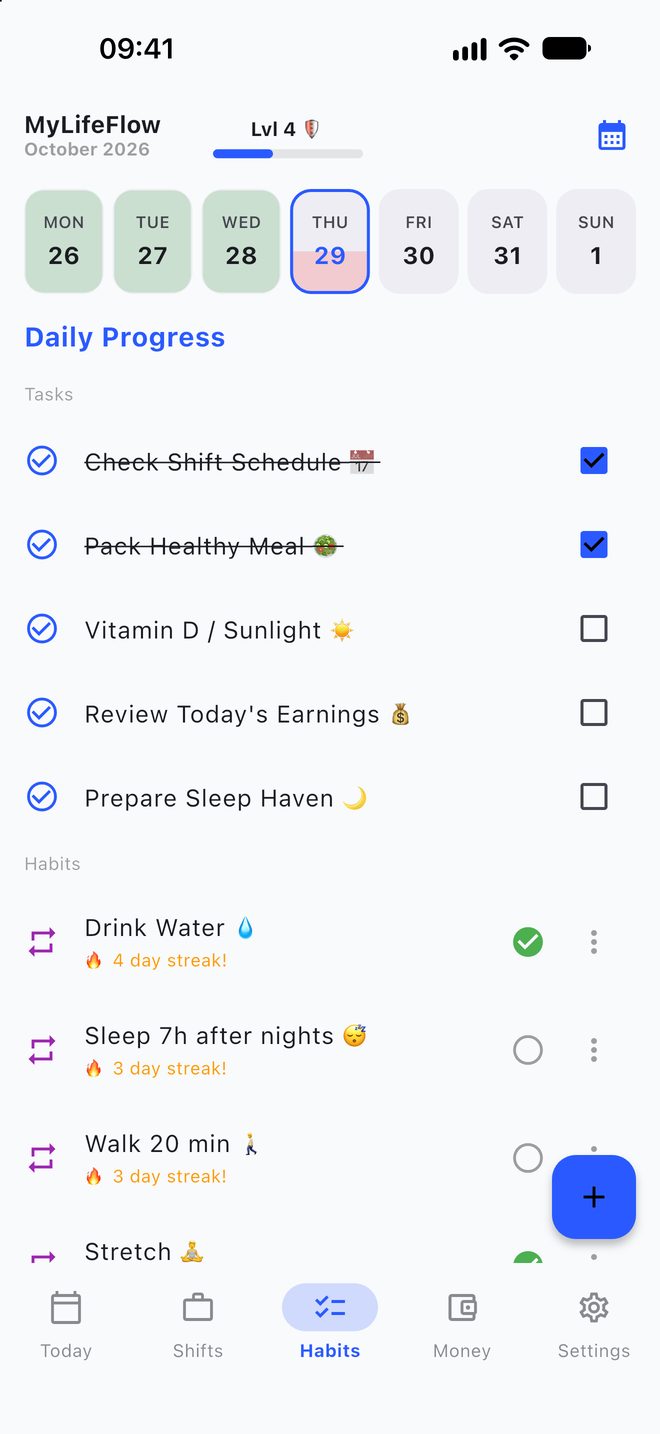
A morning routine works whether you wake at 5 AM or 5 PM. Plan the day's tasks, tick off habits, keep your streaks and level up as you go.
- Daily tasks and repeating habits on one screen
- Streaks and levels for long-haul motivation
- Up to 5 habits and 5 tasks a day for free
- Unlimited habits and tasks with Pro
Know Where Your Pay Goes
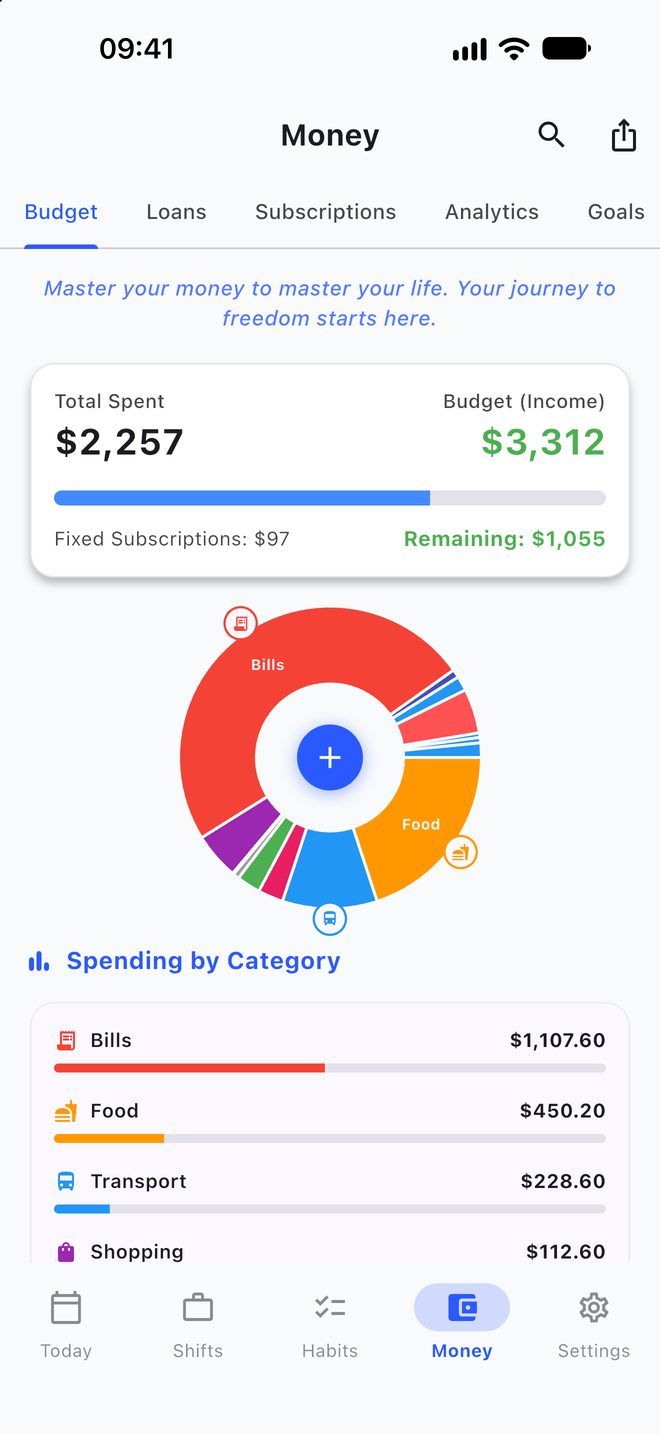
Shift pay changes from month to month. Money keeps your budget, bills and goals in one place, entered by you and kept on your device.
- Budget with spending by category
- Subscriptions with due days, loans with a payment schedule
- Analytics and savings goals
- Export to a spreadsheet
And the Details
App Lock
Ask for Face ID, Touch ID or your passcode when the app opens. Your phone does the check. The app never sees your face or fingerprint.
Export and Backup
Export all your data to Excel, or save a backup file and restore it later, from Settings. Free for everyone.
Themes
Light and dark for everyone. Premium themes come with Pro.
14 Languages
English, Bulgarian, German, Spanish, French, Italian, Portuguese, Hindi, Japanese, Korean, Russian, Arabic and Chinese (Simplified and Traditional).
Works Offline
Everything works without a connection. Only purchases and Refer a Friend need the internet.
Refer a Friend
Invite friends who work shifts. When their first paid period goes through, they get a month of Pro and you move toward free Pro time.
How it worksGet Started in 3 Steps
Download and Open
No account and no sign-in. Answer a few quick questions about your rotation and you are in.
Paint Your Shifts
Make a template for each shift type, then tap the days on the calendar.
Check In Daily
Log mood and energy, tick off habits and tasks, and watch the month take shape.
Built For People Who Work Around the Clock
Whether you're pulling nights, rotating weekends, or juggling split shifts.
Any Rotation
If you can draw it on a calendar, you can paint it in MyLifeFlow. A few common ones:
2 on · 2 off
4 on · 3 off
Rolling 24/7
Custom
Free, or Pro
Start free. Upgrade when it earns its place. All plans unlock the same Pro features.
Prices are shown in the App Store and in the app, in your local currency, before you confirm. Subscriptions renew automatically unless you cancel at least 24 hours before the end of the current period. Manage them in Settings, then your name, then Subscriptions. You can also leave an optional tip, which does not unlock anything.
Free vs Pro
Honesty First
I'd rather you skip MyLifeFlow than be disappointed. Here's the truth.
This app IS for you if…
- You work rotating or non-standard shifts
- You want one app instead of five
- You like that there is no account and your records stay on your phone
- You're okay paying a fair price for good software
- You want to see patterns across months, not just days
This app is NOT for you if…
- You want to share calendars with a team
- You need an Android app (MyLifeFlow is for iPhone and iPad)
- You want your data synced between devices automatically
- You need bank sync for money (entries are manual)
- You want AI coaching: this is a tracker, not a chatbot
Your Data. Your Device. Period.
Your shifts, habits, tasks, check-ins, notes and money records stay on your iPhone, protected by iOS. There is no account, and I can't see any of it. The app only talks to our server if you choose to use Refer a Friend, and only after you agree on that screen.
Why I Built This
I work shifts myself, at a port. Nights, weekends, holidays. I watched colleagues, and myself, struggle to keep habits, look after their health and stay on top of money on a schedule that changes every week.
Every productivity app I tried assumed a 9 to 5 life. Wake up at 7, morning routine, evening wind-down. That's not how shift work goes. So I built the app I wanted, one that starts from your rotation instead of ignoring it.
MyLifeFlow is a one-person project, built with care. If something is broken or missing, write to me. I read every message.
Frequently Asked Questions
Where is my data stored?
How does the free month work?
Can I use it offline?
What happens if I cancel?
Can I move my data to a new iPhone?
Is there an Android version?
I work irregular shifts. Will this fit my schedule?
Which devices are supported?
How do I get a refund?
How does Refer a Friend work?
Will you add AI coaching?
Who makes MyLifeFlow?
Ready to Take Control of Your Shifts?
Free to download. New subscribers to the monthly plan get the first month of Pro free.
Download on the App Store